Icon Library: Structure & AI-Powered Documentation
This project covers two connected phases: building a structured icon library (grid, variants, naming conventions, and a unified documentation card) and developing a Figma plugin connected to the Claude AI API. The plugin generates a description, usage context, and tags for each icon in seconds — turning documentation into a fast, automated workflow.
2026
Automotive
Challenge
The icon library needed a consistent documentation system — clear foundational principles, usage guidelines, and a standardized card for every icon covering its version, description, and context of use — so developers could understand exactly how and when to use each one during handoff. Writing this manually took 5–7 minutes per icon, making the process slow and difficult to scale as the library grew.
Results
Built a Figma plugin connected to the Claude AI API that generates a description, usage context, and relevant tags for any icon in seconds — cutting documentation time from ~5–7 minutes to under 10 seconds per icon, while keeping tone and structure fully consistent across the entire library.
~97%
Reduction in documentation time per icon
100%
Consistent tone and structure across every icon's documentation
$0.001
Average cost per icon generated via the AI plugin




Manual Workflow Testing: I filled out documentation cards manually first to define the right tone, structure, and level of detail, which later became the reference for automating the process.
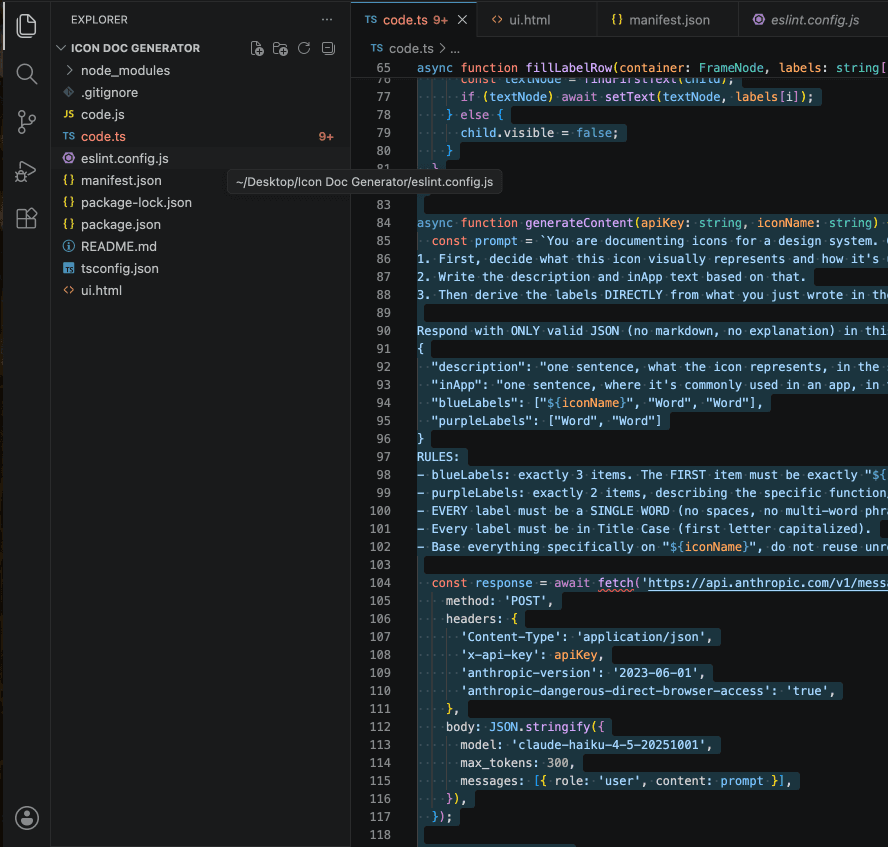
Plugin Development: I built a custom Figma plugin connected to the Claude AI API that generates the description, usage context, and tags automatically based on the icon's name.


Conclusion
This project reinforced that a design system is only as strong as the documentation behind it. Structuring the icon library taught me how to think in principles and guidelines rather than isolated components — while building the plugin pushed me to understand the technical side of the tools I design for. Pairing AI with a clear, well-defined process turned a repetitive bottleneck into something that scales effortlessly, and it changed how I think about where automation belongs in a designer's workflow.